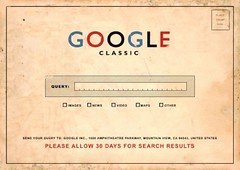
Google Search - the things you didn't know
Google Search: How specific can you get?!
Google search became part of the common vernacular some time ago as -"google it" revealing just how popular the Search Engine is, and how it has become a part of our everyday lives.
When you type in a query Google gives you useful results, the best ones usually on the first page, and if you don't find what you're looking for you can use one of Google's vertical search engines like Blog Search, Book Search, Scholar etc. Now way back in 2007 these vertical search engines weren't so well known, so Google changed the standard Google Search into Universal Search which includes the vertical search engines' indices and thus provides a more comprehensive user experience. If you're still only using the search box at "http://www.google.com", or the default Google search feature that's an option in browser, you ought to know that you're not using Google to its full capability. Let's explore Google's full search options.
Google2.0- The Universal Search
As I mentioned, in mid-2007, Google revamped its search engine to provide Universal Search. Instead of directly using vertical search engines like Google Images, Google news, etc, by typing a query at the default Google search, the results come from all across its wide database, including different vertical search engines, presenting you with combined results.
Google's personalized search
Often you might have noticed that when you start a search on Google, you get the exact results that you are looking for! This is because Google has developed a "personalized search" which uses information like your search history and the information you have provided via other Google services like Gmail, AdSense and Google toolbar. Google usually keeps two years of your search history.
Getting to the specifics: using Google's search operators Google's default search operator is [and]; Google will always assume [and] between words if an operator is not used. For example, love charm is really a search for 'love and charm'.
You can also conduct either/or searches by including the operator [or] between words. This will provide results for all the words that you are searching. For example, 'love charm or spell'.
The default search isn't case sensitive, so it doesn't matter whether your search words are in capitals or not. Google usually ignores words like "where" and "how" and even numbers, and therefore, if a particular word is essential for your search, you need to put it in quotes or use the '+' sign.
If you are looking for a song or poem, you could do a phrase search as well. If you type in a song name or a phrase from a poem in quotes you will get the essential results.
If you want to restrict the results to a particular subject only, you can use the [-] sign to exclude a certain subject from the results. For example, 'love charm - bracelet'.
Google provides a slew of advanced search operators too, which allow you to burrow right into its databases to locate specific pages. Here's a Google help sheet on Advanced Operators. It's worth printing this page out, especially if you're in a field like search engine marketing, because you can get a lot of competitive information by using the advanced operators.
Fun with Google's clever features: Google as a calculator andmoreYou can use Google as a calculator as well; for this you just need to type in the calculation that you want done and Google will give you the result. Google can also give you information on different numbers like post codes and flight numbers.
You can use Google as a unit converter and convert any units of measurement like length, currency, temperature, time … anything that you need. You just have to type the conversion needed in the search box and Google gives the answer.
Not only this, you could check out the weather, stock market, time of sunrise and sunset, etc.
Google acts as an instant calculator
Book searches
Google Books is controversial because Google indexes complete books. If you're researching a topic and you know that the information is published in a book, you can enter your search keywords, and Google will give you links to books which contain your search terms, and links to buying books also. You normally can't read a complete book in Google, access to copyrighted works is controlled. You're provided with snippets only usually, as publishers try to keep a strict tab on the use of copyright information by Google.
Google Scholar is related to Google Books but it's more focused on professional academic writing. This vertical search engine gives results based on peer-reviewed papers, books, abstracts and articles from academic publishers, universities and other scholarly organizations.
Searching the web with specialized vertical search engines
Google offers specialized, or vertical, search services. You can access them from the links on the Google search page.
Google vertical searchesGoogle Blog Search is interesting, because it shows you the "live" web; yoursearch query returns blog posts than can be as a few minutes ago.
Google Groups presents discussions on every subject, location and language.
Google Images allows you to search for images and then refine your search by size, color and other parameters.
Google Videos … you get the idea!
Google News is a useful research tool as you can specify the date range of when the news was published.
It's worth keeping an eye on Google Labs, where Google previews its newest applications.
If you want to stay up to date on a topic, company or organization, you can use Google Alerts where you can sign up to receive email alerts about new content that matches keywords.
The Google toolbar
The Google toolbar gives you instant access to search Google without going to Google's homepage. It can be used with Microsoft Internet Explorer and Mozilla Firefox. The toolbar's search box is enhanced with suggestions based on popular Google searches. As you type a query into the toolbar, it will automatically suggest what it is you're going to type. Other useful features on the toolbar include: Autofill, which will auto-complete details into web forms; WordTranslator, and Spell Check. The toolbar can also be customized. You can include buttons that link to Gmail, Wikipedia, Dictionary, Youtube, your favorite news site … the list goes on.
GoogleToolbar: Suggestions
Googling your own computer
Google Desktop brings the power of Google search to your own computer. The program is a free download and is available for Windows, Mac OS X.4x and Linux. Once your files have been indexed just enter some letters into the search box and all your matching files from email messages to videos are displayed instantly.
GoogleDesktop
Google Notebooks and iGoogle
If you use more than one computer you can save your searches on Google Notebook so you can access them from any computer. You can create your own Google browser home page by using iGoogle. It allows you to organize your own Gadgets on your homepage. The gadgets could be your Gmail messages, Google News page, Bookmarks, etc, which can all be accessed from multiple computers.
In conclusionGoogle is only making it easier for us to use the Internet, for their average web surfer, students, journalists, etc. Explore the vertical searches and extra options the next time you google it.
About the Author
ViaArena
